RemotePC1.0.0
Publisher Description
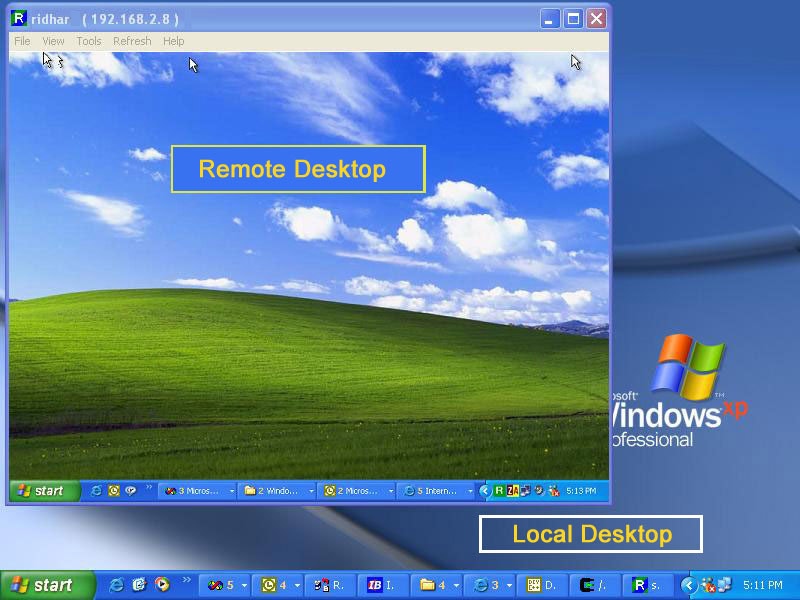
RemotePC is a secure and simple way to remote access your computer connected to the Internet from anywhere in the world. You can read your e-mail, work on the documents and resources and retrieve important documents and data files from your home or office computer while on road. From a remote computer you can see the desktop of your RemotePC enabled computer and using your remote computer's keyboard and mouse launch applications. Remote access solutions from RemotePC Works behind most firewalls using our communication servers without the Host requiring a a static IP address. Secure communication and user authentication is provided by using Industry standard encryption techniques. Full Screen Mode for remote access makes you feel as though you are directly working on the remote computer. Full colors during remote access provide a realistic feel of the remote computer. Remote access is accomplished by the two software's RemotePC provides. RemotePC Host is installed on the computer which you have to access remotely and RemotePC Viewer is installed on the computer which you have physical access. Remote access solution from RemotePC is immediate and there is no significant wait in connecting to the remote computer. You need to create an account at http://www.remotepc.net for the username and password for accessing the remote computer. The free trial account expires after 30 days. More information is available at product website.
About RemotePC
This Helpdesk & Remote PC program is available in English. It was last updated on 29 September, 2026. RemotePC is compatible with the following operating systems: Windows.
The company that develops RemotePC is http://www.remotepc.net. The latest version released by its developer is 1.0.0. This version was rated by 5 users of our site and has an average rating of 4.8.
The download we have available for RemotePC has a file size of 2.1 MB. Just click the green Download button above to start the downloading process. The program is listed on our website since 2004-09-01 and was downloaded 494 times. We have already checked if the download link is safe, however for your own protection we recommend that you scan the downloaded software with your antivirus. Your antivirus may detect the RemotePC as malware if the download link is broken.
How to install RemotePC on your Windows device:
- Click on the Download button on our website. This will start the download from the website of the developer.
- Once the RemotePC is downloaded click on it to start the setup process (assuming you are on a desktop computer).
- When the installation is finished you should be able to see and run the program.
Program Details
System requirements
Download information
Pricing
Version History
version 1.0.0
posted on 2004-09-01
None
